
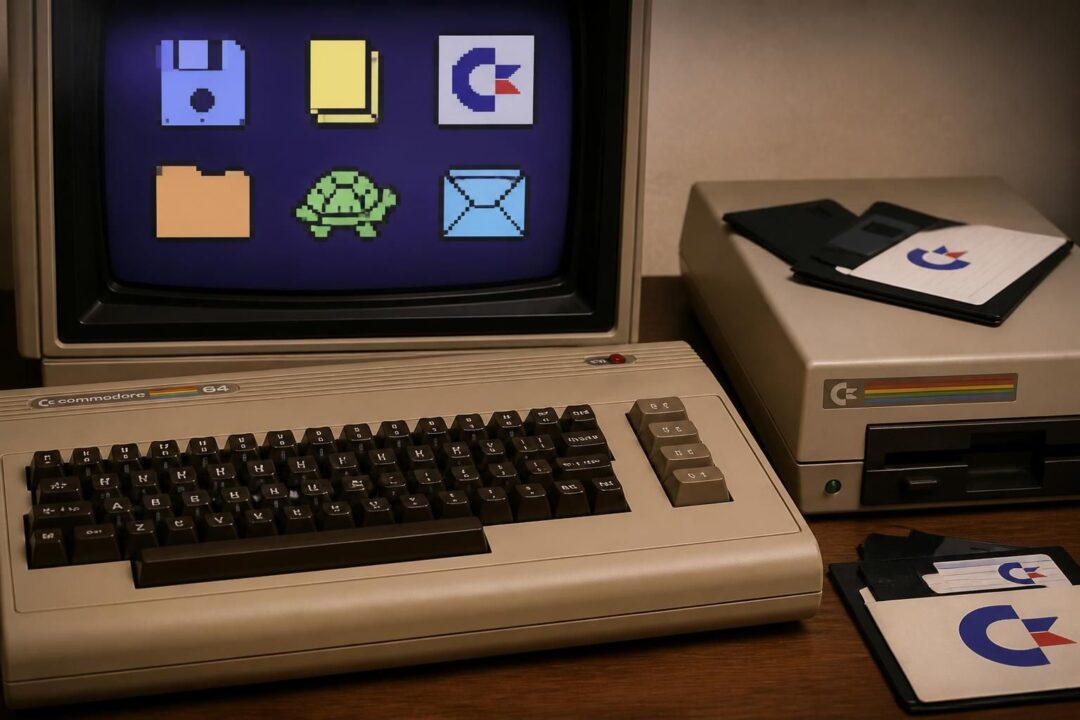
Wie in oude diskdozen rommelt of een .d64-image opent uit een online archief, stuit vroeg of laat op een verrassend modern idee uit het begin van de jaren tachtig: leren programmeren door te tekenen. LOGO op de Commodore 64—ontwikkeld door Terrapin in samenwerking met Commodore—bracht turtle graphics, tekstcommando’s en een complete leeromgeving samen in een pakket dat op diskette of cartridge verscheen. Het is tegelijk educatieve software, een grafisch systeem en een tijdcapsule van softwareontwikkeling in de thuiscomputerperiode. Juist daardoor duiken vandaag vragen op die verder gaan dan “hoe start het”: welke diskformaten bestaan er, hoe herken je logobestanden, en wat gebeurt er eigenlijk in de editor- en utility-modus?
Voor retrocomputing-onderzoek en digitale archivering is Commodore 64 LOGO extra interessant omdat het meerdere werelden verbindt: computergeschiedenis (van schoolpakketten tot hobbykamers), grafischebestanden (turtle-tekeningen en sprites), en de praktische realiteit van disk-images die in collecties rondzwerven. In 2026 zijn emulators, flux-readers en preservation-projecten volwassen genoeg om dit ecosysteem precies te ontrafelen. De kern blijft dezelfde: wie de relatie begrijpt tussen Terrapin’s LOGO, de diskstructuur en de manier waarop logobestanden werden opgeslagen, kan software en creaties betrouwbaarder terugvinden, bewaren en opnieuw laten draaien.
- Commodore 64 LOGO van Terrapin combineert turtle graphics, editor, hulpprogramma’s en een leerboekachtige aanpak.
- De software verscheen op twee diskettes (systeem + utilities) of als cartridge; beide vormen vragen andere preservatiekeuzes.
- Diskformaten zoals .d64 (1541) domineren in archieven; varianten en kopieerbeveiliging kunnen herkenning lastiger maken.
- Logobestanden en grafischebestanden in LOGO vragen om context: hoe heten ze op disk, welke rol spelen utilities, en wat is “data” versus “programma”.
- Voor softwareontwikkeling en onderzoek loont het om commando’s, foutmeldingen en bestandsstructuren samen te bekijken.
LOGO op de Commodore 64: wat Terrapin leverde en waarom het anders voelt dan BASIC
Commodore 64 LOGO is geen “taaltje erbij”, maar een complete leeromgeving. Terrapin bouwde het systeem rond het klassieke LOGO-idee: een schildpad (turtle) die beweegt en tekent, zodat een leerling direct ziet wat een commando doet. Waar BASIC op de Commodore 64 vaak start met PRINT en line numbers, begint LOGO met beweging: vooruit, achteruit, linksom, rechtsom. Die directe feedback verklaart waarom het pakket in educatieve contexten zo lang aantrekkelijk bleef, zelfs toen de hardware al verouderde.
Het handboek dat bij het pakket hoorde is berucht uitgebreid en tegelijk pragmatisch. De opzet leest als een cursus met hoofdstukken die van tekenen naar rekenen gaan, en van woorden en lijsten naar sprites en muziek. Dat is opvallend: veel mensen koppelen LOGO uitsluitend aan turtle graphics, maar Terrapin’s implementatie voor de Commodore 64 positioneert het als een general-purpose leeromgeving. Het gevolg is dat “LOGO op de C64” in archieven vaak meer is dan tekeningen: er circuleren ook muziekroutines, lijstmanipulaties en kleine games die vanuit turtle-ideeën zijn gegroeid.
Turtle graphics in de praktijk: commando’s, spacing en foutmeldingen als leermoment
De basiscommando’s zijn eenvoudig te onthouden, en de tutorial hamert op afkortingen: FORWARD (FD), BACK (BK), RIGHT (RT), LEFT (LT). Een detail dat in archiefonderzoek onverwacht belangrijk wordt, is dat de originele uitleg sterk nadruk legt op spaties. FD 100 werkt, maar FD100 kan door de interpreter als een procedurenaam worden gelezen. Dat soort parserregels beïnvloedt hoe code in logobestanden eruitziet, en waarom sommige listings “mysterieuze” fouten geven na OCR of handmatig overtypen.
LOGO probeert daarbij behulpzaam te zijn met foutmeldingen die doorgaans letterlijk aangeven wat er ontbreekt: een getal, een spatie, een onbekend commando. De appendix van het handboek wijdt er veel pagina’s aan, inclusief voorbeelden. Voor digitale archieven is dat geen trivia: foutmeldingen zijn een sleutel om corrupte of verkeerd geconverteerde logobestanden te diagnosticeren. Wie een bestand uit een diskimage haalt en in een emulator laadt, kan met die foutmelding vaak bepalen of het een encoding-probleem, een truncatie of een incompatibele versie betreft.
Een kleine casus: een schoolproject dat in een archiefcollectie belandt
Stel een fictieve maar realistische situatie voor: een regionale archiefdienst ontvangt in 2026 een doos diskettes van een oud docent informatica. Tussen spelkopieën zit een “LOGO” label met krassen en jaartallen. Op de Commodore 64 start het systeem, maar één project crasht. In BASIC zou men al snel naar POKE’s en geheugenadressen kijken. In LOGO is de eerste stap anders: commando’s nalopen op spaties, procedure-namen controleren, en nagaan of het project afhankelijk is van een utility-disk (bijvoorbeeld voor editorfuncties of grafische export).
Die aanpak is typisch voor retrocomputing-onderzoek: niet alleen de broncode bewaren, maar ook de gebruiksomgeving en de didactiek reconstrueren. Het inzicht hier is dat Terrapin’s LOGO niet los te zien is van het bijbehorende materiaal—tutorial, appendix, glossary—waardoor een “compleet” archiefrecord idealiter ook documentatie vermeldt. Dat maakt de overgang naar de volgende laag logisch: de diskformaten en de manier waarop het pakket fysiek werd verspreid.
Diskformaten rond Commodore 64 LOGO: van 1541-disks tot .d64-images in archieven
Wie LOGO vandaag wil draaien of archiveren, krijgt te maken met diskformaten. De meest gangbare drager is de 5,25-inch diskette voor de Commodore 1541-drive. In hedendaagse collecties worden die diskettes meestal gerepresenteerd als .d64-bestanden: een schijfimage die de volledige inhoud van een standaard 1541-disk vastlegt. Veel preservation-sites en verzamelingen, inclusief collecties met duizenden titels, kiezen .d64 omdat het breed ondersteund wordt door emulators en tools.
Toch is “.d64” niet het hele verhaal. Sommige software verscheen ook op cartridge, en in dat geval duiken .crt-dumps op in archieven. Daarnaast bestaan er alternatieve image-formaten (zoals .g64 voor bepaalde kopieerbeveiligde disks) en varianten waarin de fysieke eigenschappen van een disk nauwkeuriger worden benaderd. LOGO zelf werd vaak op twee disks geleverd—één met het systeem, één met utilities—waardoor een archiefrecord idealiter twee images koppelt aan één titel. Als er maar één image wordt bewaard, raakt een deel van de functionaliteit onzichtbaar of onbegrijpelijk.
Herkennen van een LOGO-systeemdisk en een Utilities-disk
Bij Commodore 64 LOGO helpt de originele productopzet bij herkenning: een systeemdisk met de omgeving en een tweede schijf met hulpmiddelen. Die utilities zijn geen luxe; ze ondersteunen bewerken, beheer en vaak ook extra grafische of bestandsfuncties. In een diskimage is dat te zien aan directory-entries met programfiles die niet direct “lessen” lijken, maar gereedschap. Een archivaris die een onbekende disk vindt met een map vol LOGO-gerelateerde namen kan dus al snel vermoeden: dit is disk 2, niet disk 1.
In de praktijk raakt die scheiding soms vervaagd. Gebruikers kopieerden bestanden van disk 2 naar disk 1 om minder te wisselen, of maakten samengestelde disks. Daardoor is een “authentieke” set niet altijd aanwezig, zelfs als het label dat suggereert. Het loont dan om checks uit te voeren: start het systeem zonder prompts om extra files, verschijnen er menu’s die om utilities vragen, en zijn er error messages die wijzen op ontbrekende componenten?
Tabel: veelvoorkomende image-formaten en wat ze betekenen voor preservatie
| Formaat | Typische herkomst | Sterkte | Valkuil |
|---|---|---|---|
| .d64 | Standaard 1541 diskette-image | Breed ondersteund; eenvoudig te mounten in emulators | Niet ideaal voor complexe kopieerbeveiliging of niet-standaard tracks |
| .g64 | Nibble-/track-gebaseerde representatie | Kan meer laag-niveau details bewaren | Groter, tooling minder uniform; niet altijd nodig voor educatieve titels |
| .crt | Cartridge-dump | Snel te starten; minder afhankelijk van drive-emulatie | Niet gelijk aan diskversie; utilities en logobestanden kunnen ontbreken |
| Fysieke disk + flux (KryoFlux/Greaseweazle) | Preservatie van originele drager | Maximale trouw aan origineel, inclusief afwijkingen | Meer werk; metadata en interpretatie vereisen expertise |
De keuze voor een formaat is dus geen technische bijzaak maar een inhoudelijke beslissing. Wie computergeschiedenis wil documenteren, bewaart liefst zowel een praktische .d64 voor gebruik als een rijkere capture als de schijf afwijkingen vertoont. Daarmee komt het gesprek vanzelf bij logobestanden en grafischebestanden: wat staat er precies op die disks, en hoe haal je er betekenis uit?
Logobestanden en grafischebestanden in Commodore 64 LOGO: opslag, naming en uitwisselbaarheid
In Commodore 64 LOGO is een bestand zelden alleen “een plaatje” of “een programma”. Een turtle-tekening kan voortkomen uit procedures die herbruikbaar zijn, en een project kan afhankelijk zijn van data-structuren zoals woorden en lijsten. Daardoor is het begrip logobestanden breder dan veel gebruikers verwachten. Op disk ziet men in de directory vaak PRG-achtige bestanden, maar de semantiek ligt in de LOGO-wereld: procedures, werkruimtes, eventueel spritesets en muziekfragmenten.
Voor digitale archivering is context daarom essentieel. Een grafischebestanden-collectie die alleen screenshots bewaart, mist de herhaalbaarheid: welke commando’s genereerden de tekening, welke parameters werden gebruikt, en was er een procedurebibliotheek? Andersom zegt een losse code-export weinig als de runtime-omgeving ontbreekt. Een sterke aanpak is om per object minstens drie lagen te bewaren: het diskimage (bron), een geëxtraheerde listing (leesbaar), en een render (visuele output) zoals een screenshot of een capture van het tekenproces.
Bestandsbeheer binnen LOGO: werkruimte, procedures en utilities
De oorspronkelijke documentatie benadrukt dat de appendix ook uitlegt hoe de interne werking in elkaar zit, inclusief bestandsbeschrijvingen op de Utilities-disk. Dat is een aanwijzing dat Terrapin verwachtte dat gebruikers niet alleen commando’s leerden, maar ook beheer. In veel LOGO-omgevingen bestaat het idee van een “workspace” waarin procedures geladen zijn. Opslaan betekent dan: de definities van procedures en soms variabelen wegschrijven, zodat een sessie later hersteld kan worden.
Een veelvoorkomende valkuil bij het terughalen van logobestanden uit archiefimages is dat men alleen de “projectfile” kopieert en vergeet dat er extra bibliotheken nodig zijn. In retrocomputing-kringen gebeurt dit bijvoorbeeld wanneer iemand een losse PRG deelt zonder de companion files. Het resultaat: de code laadt, maar een onbekend commando verschijnt, omdat het in een aparte library stond. Voor preservation betekent dit dat dependency-mapping onderdeel hoort te zijn van de beschrijving: welke files moeten samen gemount worden om het project te laten draaien?
Uitwisselbaarheid en conversie: van emulator naar moderne opslag zonder verlies
In 2026 is het verleidelijk om alles direct naar “moderne” formaten te converteren. Voor grafische output kan dat prima: PNG voor raster, SVG als iemand de vectorlogica reconstrueert, en video captures om het tekenproces te tonen. Toch blijft de bron leidend. Als een turtle-tekening als grafischebestanden in een map belandt zonder het bijbehorende LOGO-procedurescript, verliest men het educatieve en historische aspect: het gaat juist om het algoritme achter het beeld.
Een praktische workflow gebruikt daarom emulators om gecontroleerd te exporteren, maar bewaart altijd het originele diskimage. Tools kunnen directory’s uit .d64 lezen en bestanden extraheren, waarna men checksums en metadata toevoegt (titel, herkomst, vermoedelijke datum, afhankelijkheden). Een archief kan zelfs twee “views” aanbieden: een publieksvriendelijke map met screenshots en een onderzoeksmatige map met logobestanden, plus instructies om ze te starten. De kernzin hier: in LOGO is het programma vaak het kunstwerk, niet alleen het eindplaatje.
Video’s van turtle graphics maken meteen duidelijk hoe procedureel tekenen voelt: een lijn verschijnt niet als statische output, maar als gevolg van stappen, hoeken en herhaling. Die dynamiek helpt ook om logobestanden te begrijpen als “recepten” in plaats van afbeeldingen.
Programmeren met Commodore 64 LOGO: didactiek, editor-modus en raakvlakken met softwareontwikkeling
LOGO werd vaak verkocht als “taal om te leren”, maar op de Commodore 64 schuurt het tegen echte softwareontwikkeling aan. De inhoudsopgave van het lesmateriaal laat zien hoe breed het pakket is: naast graphics en computation komen ook woorden en lijsten, sprites en zelfs muziek aan bod. Dat betekent dat een leerling niet alleen leert hoe een schildpad beweegt, maar ook hoe gegevensstructuren werken en hoe gedrag kan worden gecomponeerd uit kleine procedures. Het is precies dat compositieprincipe dat later in moderne programmeertalen terugkomt: kleine functies, hergebruik, abstraheren.
De editor- en “edit mode”-documentatie in de appendix is daarbij cruciaal. In veel C64-contexten staat programmeren gelijk aan typen in een line-based editor. LOGO’s aanpak is anders: procedures hebben namen, kunnen worden aangepast en opnieuw geladen. Dat beïnvloedt hoe projecten groeien. Een leerling begint met FD 100, maar eindigt met een procedure zoals TEKENHUIS of SPIRAAL die door andere procedures wordt aangeroepen. In archieven zijn dat herkenbare patronen: veel kleine proceduredefinities, vaak met educatieve namen, en herhaling als bouwsteen.
Van commando naar procedure: een concreet leerpad dat je terugziet in logobestanden
Een typisch traject start met losse commando’s: RT 90, FD 50, en dan de eerste vorm van automatisering met herhaling. Daarna volgen procedures met parameters: een vierkant tekenen met een zijde-lengte als invoer. In logobestanden zie je dat terug als korte definities die later steeds generieker worden. Het is een signatuur van leren programmeren: eerst specifieke oplossingen, daarna abstracties.
Voor onderzoekers in computergeschiedenis is dit interessant omdat het laat zien hoe thuiscomputers in de klas belandden. Een BASIC-listing uit dezelfde periode is vaak een monolithische serie regels. LOGO-projecten zijn vaker modulair, juist door de procedurecultuur. Bij digitalisering helpt dat: afzonderlijke procedures zijn makkelijker te annoteren, te vergelijken en te hergebruiken in demonstraties.
Sprites en muziek: waarom LOGO op de C64 meer is dan tekenen
De aanwezigheid van sprites en muziek in het lesmateriaal wijst op een ambitie: aansluiten bij wat de Commodore 64 bijzonder maakte. Sprites zijn hardware-objecten met eigen regels: posities, kleuren, overlap. Muziek op de SID-chip vraagt timing en toonhoogtes. Een LOGO-omgeving die dit toegankelijk maakt, verbindt creativiteit aan systematische instructies. Dat is ook een reden dat LOGO-diskettes in collecties soms “vreemd” gemengd zijn: een projectmap met zowel turtlepatronen als melodieën.
In termen van softwareontwikkeling is dit waardevol: het laat leerlingen al vroeg nadenken over state (spriteposities), loops (muziekpatronen), en debugging (waar gaat timing mis?). De overgang naar moderne programmeerconcepten is daardoor minder groot dan het op het eerste gezicht lijkt. De afsluitende gedachte van deze sectie: LOGO op de Commodore 64 is een leeromgeving die stiekem een complete creatieve toolkit is.
Demonstraties waarin sprites of eenvoudige muziek binnen LOGO verschijnen, helpen om het beeld te corrigeren dat LOGO alleen om een schildpad draait. Precies dat brede spectrum verklaart waarom het archiveren van diskimages en logobestanden meer vraagt dan een enkel bestand exporteren.
Retrocomputing en computergeschiedenis: bronnen, archiefpraktijk en betrouwbare reconstructie van Terrapin LOGO
Wie Terrapin’s Commodore 64 LOGO onderzoekt, merkt snel dat bronnen verspreid zijn: diskcollecties met .d64-images, scans van handleidingen, en databases die cartridge- of diskvarianten beschrijven. Sommige sites bieden complete disksets, andere focussen op documentatie zoals OCR-teksten van het originele “Logo manual”. Daarnaast bestaan er privécollecties die later in publieke archieven belanden, inclusief cracked disks met demoscene-shoutouts. Dat maakt provenance belangrijk: een LOGO-disk in een verzameling kan “puur” educatief zijn, maar kan ook sporen dragen van kopieercultuur en latere modificaties.
Voor preservation is het daarom nuttig om een vast stramien te volgen bij ingest en beschrijving. Begin met wat objectief meetbaar is: directorylisting, bestandsgroottes, checksums van images, en een notitie of het om één of twee disks gaat. Voeg daarna gebruikscontext toe: start het systeem in een emulator, noteer de opstartmelding (bijvoorbeeld dat het scherm expliciet “Commodore Logo” toont), en leg vast welke commando’s nodig zijn om een voorbeeld te laden. Pas in de derde laag komen interpretaties: vermoedelijk schoolgebruik, herkomst, relatie met andere images in dezelfde collectie.
Praktisch stappenplan voor een archiefinstelling of verzamelaar
- Maak een bit-perfecte capture van de drager als dat kan; bewaar daarnaast een werk-kopie als .d64 voor emulators.
- Documenteer diskformaten en varianten: 1541-disk, eventuele niet-standaard tracks, of een cartridge-dump.
- Exporteer directorylisting en identificeer of het een systeemdisk, utilities-disk of samengestelde disk is.
- Test in minstens één gangbare emulator en leg vast: opstarttekst, benodigde disk-swap, en foutmeldingen bij ontbrekende files.
- Maak per relevant logobestand een leesbare listing en een visuele output (screenshot of capture), plus metadata over afhankelijkheden.
Wat mensen vaak vragen: “Welke versie heb ik?” en “Waarom werkt het niet in één keer?”
Versies zijn lastig omdat distributievormen verschillen. Een cartridge kan sneller starten, maar mist soms het “ecosysteem” van diskutilities. Een diskset kan compleet zijn, maar in een archiefcollectie kan disk 2 ontbreken of vervangen zijn. Daarnaast bestaan er images die door gebruikers zijn aangepast: samengevoegde disks, hernoemde bestanden, of toevoegingen van andere educatieve programma’s. In computergeschiedenis is dat niet per se vervuiling; het is juist bewijs van gebruik.
Waarom het niet meteen werkt, heeft vaak een simpele oorzaak: de verkeerde disk gemount, geen disk-swap gedaan, of een project dat afhankelijk is van een library op een tweede disk. Soms speelt ook parsergedrag mee, zoals het ontbreken van een spatie tussen commando en getal na het overtypen van een listing. Het inzicht dat dit alles verbindt: betrouwbare reconstructie vraagt zowel technische nauwkeurigheid (diskformaten, images) als begrip van de didactiek (hoe LOGO bedoeld was te werken).
Wie deze archiefpraktijk hanteert, kan LOGO op de Commodore 64 niet alleen “runnen”, maar ook verklaren—en precies dat maakt het materiaal duurzaam bruikbaar voor onderzoek en onderwijs.
Hoe herken je in een diskimage of het om de systeemdisk of de utilities-disk van Commodore 64 LOGO gaat?
Kijk naar de directory: een systeemdisk bevat doorgaans de kernprogramma’s om LOGO te starten, terwijl de utilities-disk meer gereedschappen en ondersteunende bestanden bevat. In een emulator helpt een praktische test: als LOGO wel start maar functies ontbreken of om extra bestanden vraagt, wijst dat vaak op het ontbreken van utilities of libraries die normaal op disk 2 staan.
Welke diskformaten zijn het handigst om Terrapin LOGO te bewaren en te gebruiken?
Voor dagelijks gebruik is .d64 het meest praktisch, omdat vrijwel elke C64-emulator dit ondersteunt. Voor maximale preservatie van fysieke eigenschappen kan een flux- of track-gebaseerde capture nuttig zijn, zeker als een disk afwijkingen vertoont. Cartridge-varianten worden meestal als .crt bewaard en zijn vooral handig voor snelle demonstraties, maar vormen niet altijd een vervanging voor de diskset.
Wat zijn logobestanden precies: alleen tekeningen, of ook code?
In LOGO zijn tekeningen meestal het resultaat van procedures (code) die de turtle aansturen. Een logobestand kan daarom proceduredefinities, parameters en soms data bevatten. Voor archivering is het verstandig om zowel de bron (diskimage), een leesbare listing van procedures als een visuele output (screenshot/capture) te bewaren.
Waarom geeft LOGO soms onverwachte foutmeldingen bij oude projecten?
Veel problemen komen door ontbrekende spaties (bijvoorbeeld FD100 in plaats van FD 100), ontbrekende afhankelijkheden (libraries op een tweede disk), of verschillen tussen een disk- en cartridge-uitgave. De oorspronkelijke documentatie beschrijft foutmeldingen vaak met voorbeelden; die uitleg is nuttig om te bepalen of het om een syntaxisprobleem gaat of om ontbrekende bestanden.
Hoe past Commodore 64 LOGO in bredere retrocomputing en computergeschiedenis?
Het pakket laat zien hoe programmeren in de jaren tachtig als creatief en toegankelijk werd gepositioneerd: tekenen, sprites en muziek vormden een brug naar abstracte concepten zoals procedures en gegevensstructuren. Voor retrocomputing-onderzoek is het een rijke case omdat het software, documentatie, diskformaten en gebruikerspraktijken (kopiëren, samenvoegen, aanpassen) samenbrengt.

Digitaal archivaris en retro-computing onderzoeker van 30 jaar. Gepassioneerd door het bewaren en onderzoeken van oude digitale technologieën en software.